

Why Teams?
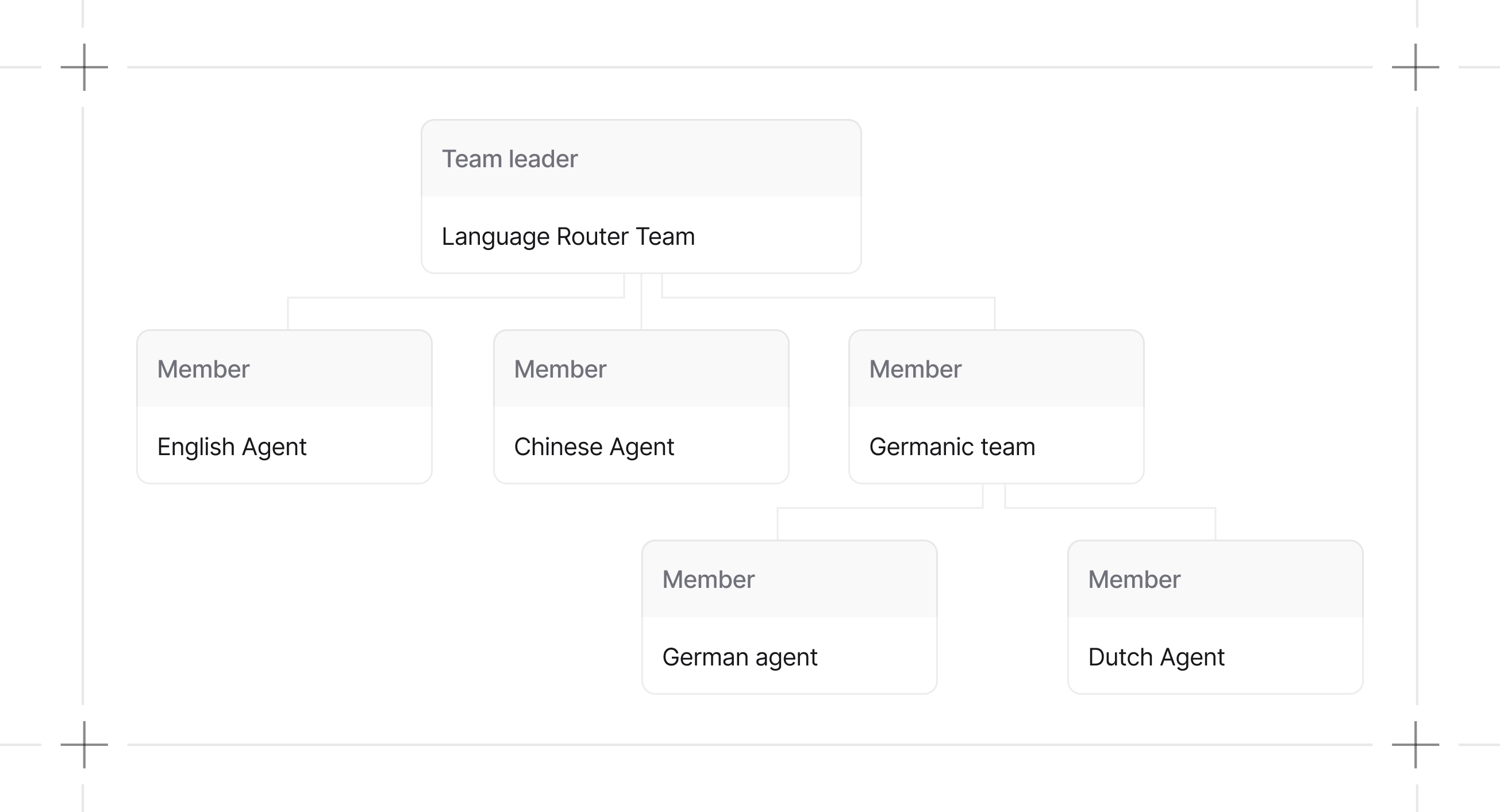
Single agents hit limits fast. Context windows fill up, decision-making gets muddy, and debugging gets harder. Teams distribute work across specialized agents:
The tradeoff: coordination overhead. Agents need to communicate and share state. Get this wrong and you’ve built a more expensive failure mode.
When to Use Teams
Use a team when:- A task requires multiple specialized agents with different tools or expertise
- A single agent’s context window gets exceeded
- You want each agent focused on a narrow scope
- The task fits one domain of expertise
- Minimizing token costs matters
- You’re not sure yet (start simple, add agents when you hit limits)
Team Capabilities
Modular Execution
Agno agents and teams are modular. Message building, session handling, storage, and background managers live in dedicated components, keeping coordination logic separate from the public API.Callable Factories
Pass a function instead of a static list fortools, knowledge, or members. Agno calls it at the start of each run, injecting context based on the function's parameter names.
knowledge, tools, and members all accept callable factories. Agents also support callable factories for knowledge and tools. See callable factories for examples and caching settings for cache key configuration.
Team Modes
TeamMode makes collaboration styles explicit. Prefer mode= instead of toggling respond_directly or delegate_to_all_members directly.
mode overrides legacy flags. If mode is not set, respond_directly=True maps to TeamMode.route, delegate_to_all_members=True maps to TeamMode.broadcast, otherwise TeamMode.coordinate.
Modes are explicit orchestration patterns. Use them to name and swap coordination topologies without changing agent logic. See Delegation for details.
Guides
Build Teams
Define members, roles, and structure.
Run Teams
Execute teams and handle responses.
Debug Teams
Inspect and troubleshoot team behavior.